
Budget variance, percentages and cell references
Listen to this lesson
Nigerian voice narration
Fictional training case. The monthly report must show budget utilisation: what percentage of each category's budget is spent, and the variance in Naira. You write the formula for January, copy it down for twelve months — and half the results are wrong because the budget cell moved. This lesson teaches absolute versus relative references, the small concept that causes most broken spreadsheets.

Variance and utilisation formulas
Variance in Naira: =Actual−Budgeted. Utilisation percentage: =Actual/Budgeted formatted as a percentage. A category at 110% is overspent; one at 40% in November may signal an abandoned programme — both deserve a sentence in your report.
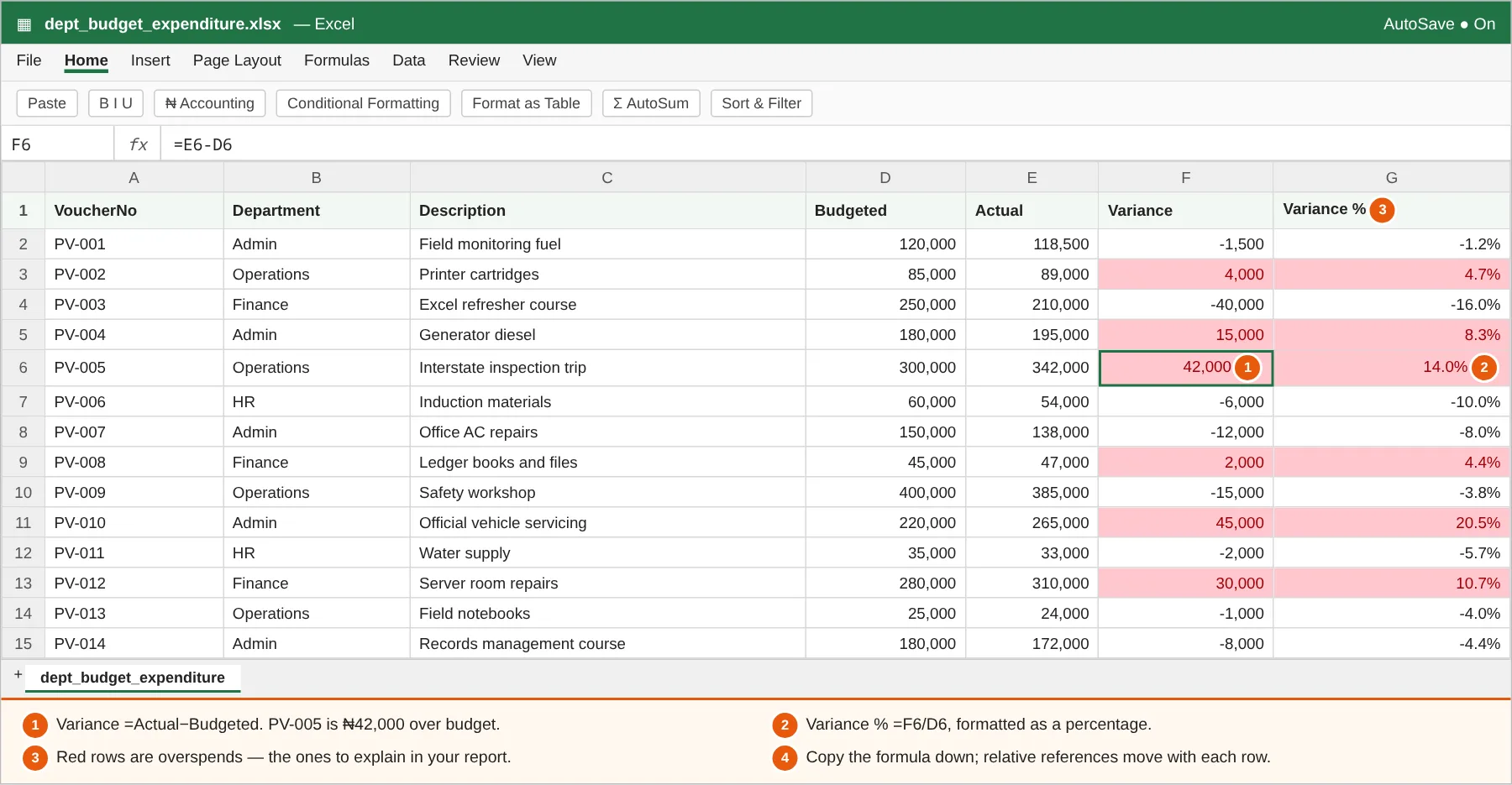
Try it yourself — step by step
- In H1 type Variance; in I1 type Variance %.
- In H2 type =G2-F2 (Actual minus Budgeted).
- In I2 type =H2/F2 and click the % button.
- Select H2:I2 and double-click the fill handle to copy down.
- Sort or filter the Variance column to find the largest overspends.
Relative references move
When you copy =G2/F2 down a column, Excel moves both references: G3/F3, G4/F4. That is usually what you want — each row compared with itself. This is a relative reference.
Absolute references stay
If every month must be compared with one annual budget cell, lock it with dollar signs: =G2/$F$1. Copying down keeps $F$1 fixed while G2 moves. Press F4 while editing a reference to cycle through the lock options.

Build the prompt from three phrases — Role, Task and Format — and watch the AI answer.
Mixed references and good habits
$F2 locks the column, F$2 locks the row — useful in matrix tables. Habit to build: after copying any formula, click two or three cells at random and check the references in the Formula Bar before you trust the column.
Common mistakes to avoid
Almost everyone copies a formula down and gets wrong answers because an absolute reference was missing — the budget cell drifts row by row. The fix is $ signs (press F4) and a spot-check of two or three copied cells in the Formula Bar. A second mistake is reporting utilisation without context: 40% in November is a finding about a stalled programme, not just a number. A third is dividing by an empty budget cell and leaving #DIV/0! in the report.
Your practice
Add two columns to the sample file: Variance (=Actual−Budgeted) and Utilisation (=Actual/Budgeted as %). Then add one cell holding the annual budget and compute each month's share of it with an absolute reference. Verify by hand for one row.
You are an Excel tutor. Explain the difference between F2, $F$2, $F2 and F$2 to a beginner, using the example of copying a budget-utilisation formula down twelve months.
Answer all three questions and check your answers to unlock the next lesson. Pass mark: 2 of 3.
Utilisation percentage is calculated as…
A category at 40% utilisation in November suggests…
After copying a formula down 500 rows you should…